
Best Camera Drones Under $200 (2026): Verified Picks by Use Case
Quick Verdicts: The 5 Under-$200 Finalists
Cheap drone shopping gets weird fast. One box screams 4K in metallic lettering; another quietly gives you satellite-assisted positioning; DJI hands you a drone that takes off from your hand like a trained falcon. If you sort through Amazon by star ratings alone, you will lose your mind in twenty minutes flat. Every product page promises Hollywood b-roll, 40-minute batteries, and carbon-fiber hulls for the price of dinner.
The real story of the sub-$200 category in 2026 is simple: stop staring at the 4K badge. Find the flying experience YOU actually want. In this price bracket, every drone is defined by its engineering compromises. Pick the model that made the compromises you don’t care about, and you will have an absolute blast.
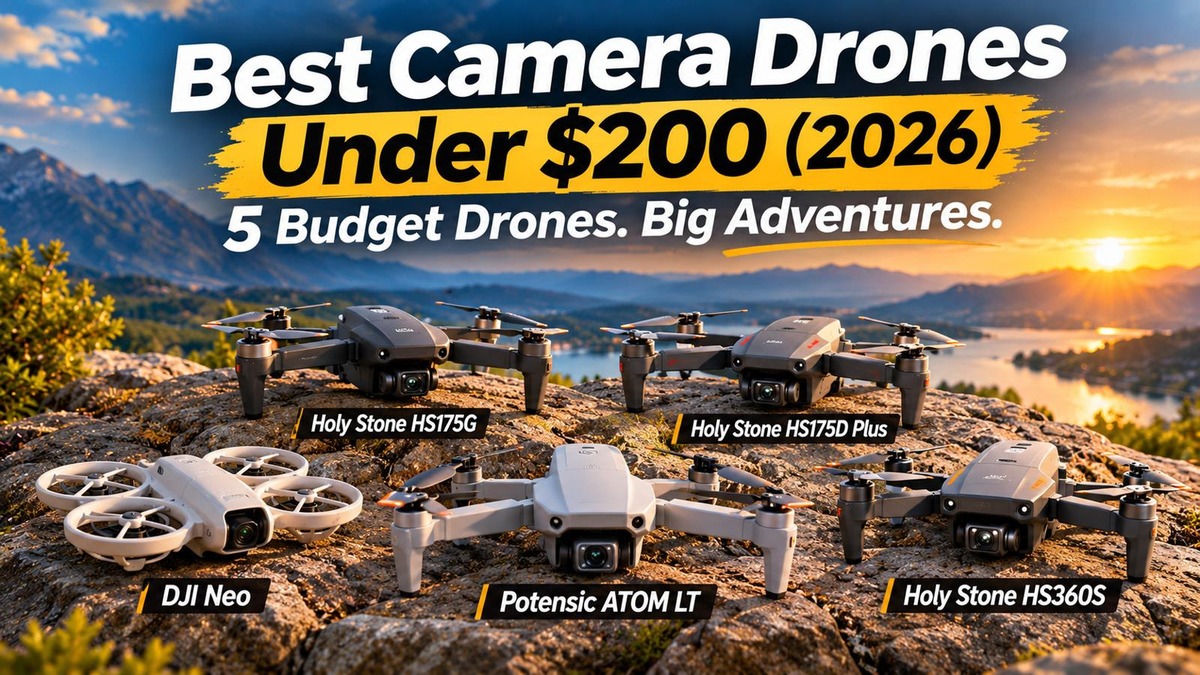
Here are our five verified finalists, matched directly to their ideal job:
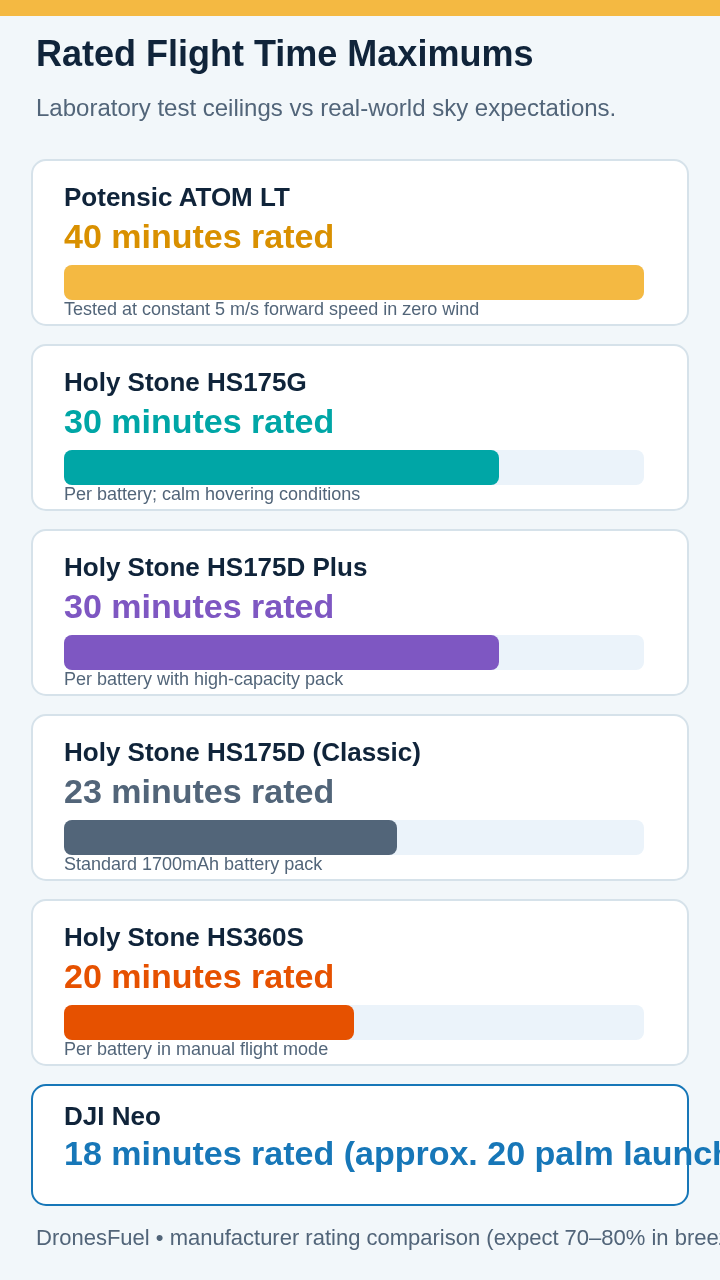
- DJI Neo — The Palm-Launch Social Video King: At 135 grams with full prop cages, 4K/30fps video, single-axis tilt plus RockSteady EIS, and 22GB internal flash, Neo eliminates controllers for fast social clips. Hold out your hand, press a button, and go.
- Potensic ATOM LT — The Traditional Stick Flyer: Sub-249g, 2.5K EIS video, GNSS positioning, an ergonomic physical remote, and a massive 40-minute laboratory flight ceiling. The smartest buy to master real stick piloting.
- Holy Stone HS175G — The Smarter Video Buy: Captures 4K still photos, but its memory card video records at 2560×1440@30fps with EIS. That EIS is designed to reduce camera shake, which often matters more to enjoyable video than an oversized 4K badge. Sub-250g with 30 min rated endurance.
- Holy Stone HS175D Plus — The Feature Buffet: Weighing 247g with 30 min rated endurance, the Plus serves up GPS return, waypoints, orbit, follow-me, and optical flow. Its 4K card video records at 20fps, making it an autonomous explorer for calm days.
- Holy Stone HS360S — The Big-Field Explorer: Folding 249g airframe, 90° motorized camera tilt, reliable GPS return, and a wired phone-to-controller cable link designed for clean video reception across a rated 3km transmission range.
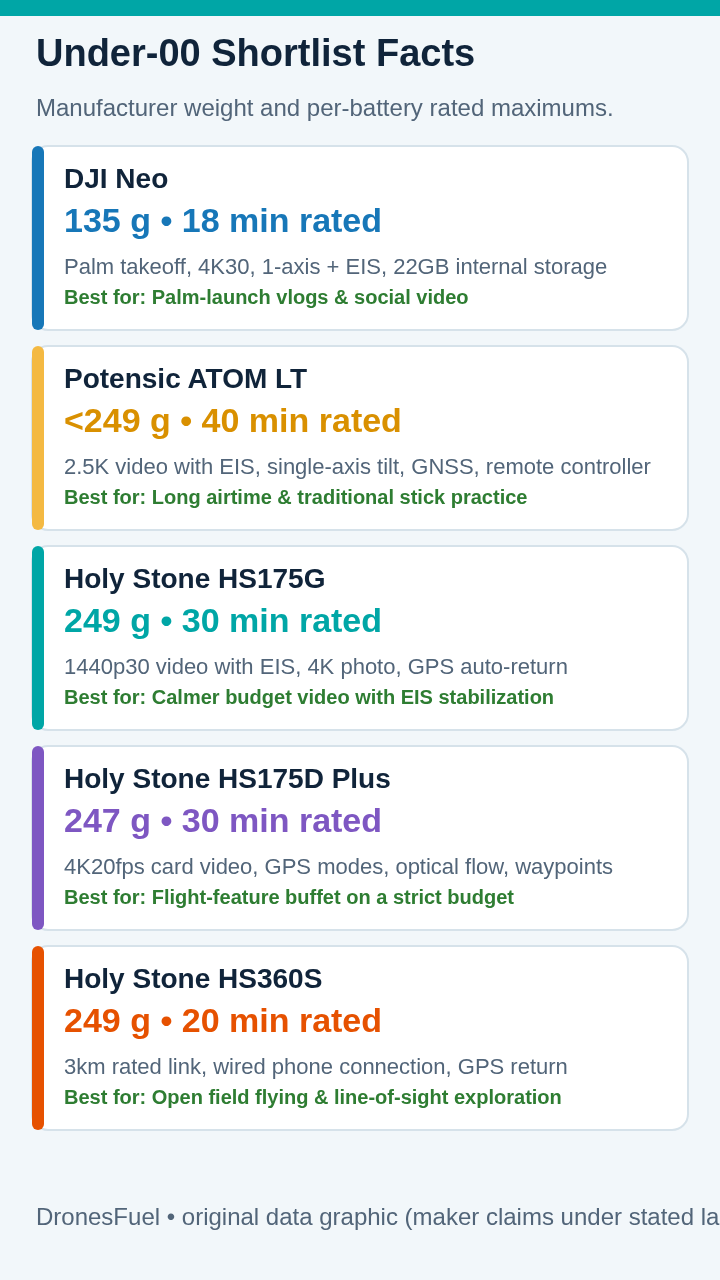
| Drone Model | Weight & Reg. | True Video Res | Stabilization | Rated Max Flight | Primary Winning Fit |
|---|---|---|---|---|---|
| DJI Neo | 135g (No FAA Reg) | 4K @ 30fps | 1-Axis Tilt + RockSteady EIS | 18 min (~20 launches) | Palm-launch vlogs & casual social video |
| Potensic ATOM LT | <249g (No FAA Reg) | 2.5K @ 30fps | Electronic EIS + 1-Axis Tilt | 40 min (Lab ceiling) | Long airtime & traditional piloting practice |
| Holy Stone HS175G | 249g (No FAA Reg) | 1440p @ 30fps | Electronic EIS Smoothing | 30 min per pack | Calmer budget video with EIS horizon |
| Holy Stone HS175D Plus | 247g (No FAA Reg) | 4K @ 20fps (~2.7K@30) | Remote Tilt (Unstabilized) | 30 min per pack | Feature-rich autonomous modes on a budget |
| Holy Stone HS360S | 249g (No FAA Reg) | 2.7K @ 30fps | 90° Motorized Tilt Only | 20 min per pack | Open field cruising & wired controller link |
What $200 Really Buys (And What It Doesn’t)
Let us talk about drone physics. When engineers design a quadcopter, they juggle three relentless constraints: weight, battery capacity, and camera hardware. A motorized three-axis brushless gimbal with independent pitch, roll, and yaw motors weighs 35 to 45 grams, draws continuous battery power, and costs real money. Fitting a full three-axis setup into a budget airframe while keeping weight and price down forces serious design compromises.
So how do manufacturers hit the $200 price point? They make trade-offs. The problem is that marketing departments rarely explain trade-offs honestly. Instead, they print “4K” in gold foil on the box and hope you don’t know the difference between a still photo and video frames.
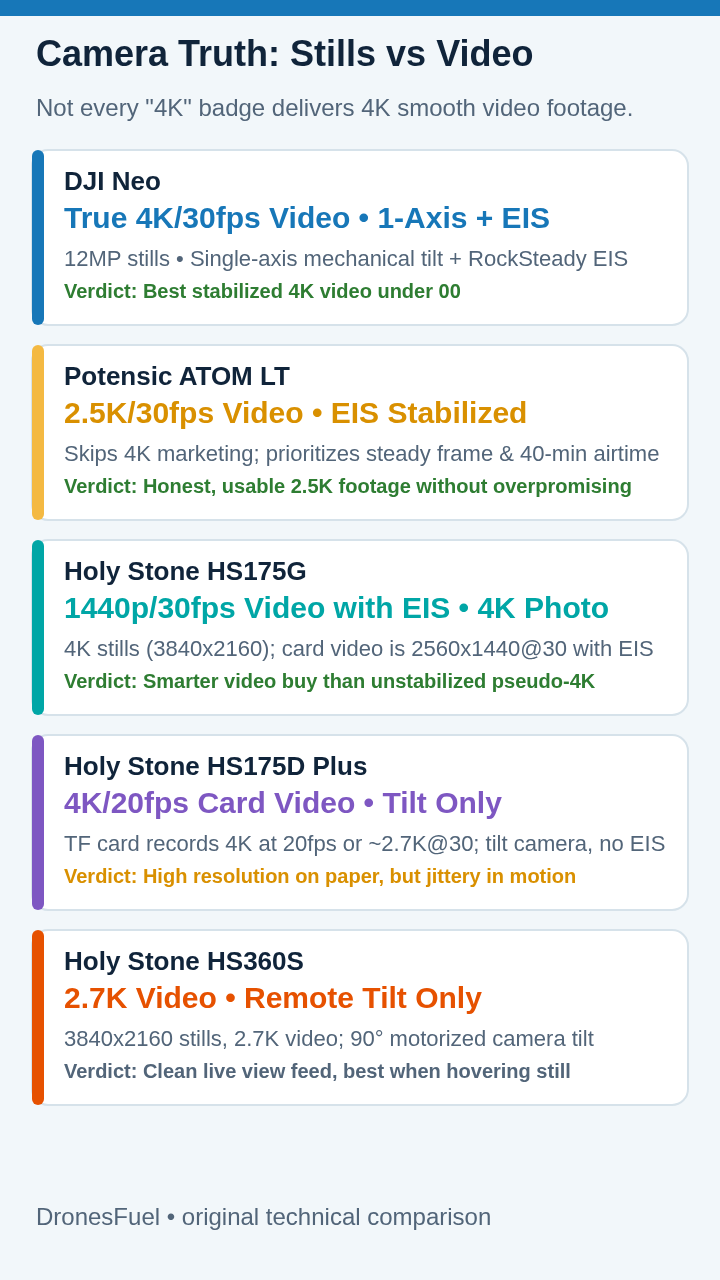
1. The 4K Photo vs 4K Video Trap: A tiny sensor can easily snap a 3840×2160 still photo (about 8.3 megapixels). The box says “4K” truthfully. But switch that camera into video mode, and the budget processor cannot encode 30 frames per second of 4K data. It drops down to 2.7K, 1080p, or cuts the frame rate to an unwatchable 20fps. If you pan across a field at 20fps, the footage stutters like a slideshow. Always verify the memory-card video specs, not the box headline.
2. More Pixels Just Shake Harder: A drone flies by tilting. To move forward, it pitches down. To fight a crosswind, it banks sideways. Four brushless motors spin at 8,000 RPM, sending high-frequency vibrations through the airframe. If a camera is bolted directly to that frame without stabilization, every motor buzz and wind bump turns your 4K video into rolling shutter jello. A stabilized 1440p frame runs circles around shaky 4K every single time.
To master framing and smooth flight lines on budget cameras, check our guide to 7 super easy tips for perfect aerial shots. Learning straight flight paths and golden-hour lighting does far more for your clips than doubling raw pixels.
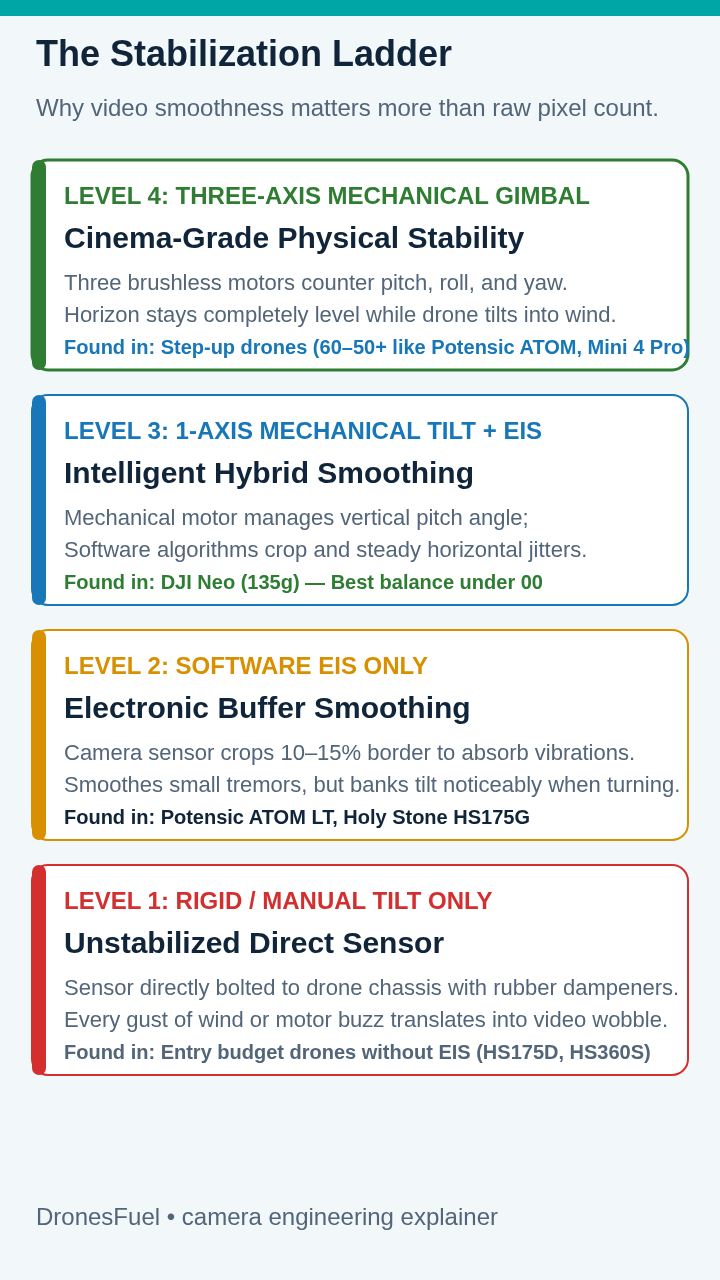
3. The Stabilization Ladder: Under $200, stabilization falls into three clear tiers:
- Level 1 (Rigid / Tilt-Only): The camera is bolted directly to the chassis, with manual or motorized tilt. When the drone banks, the camera banks. Found on the classic HS175D and HS360S.
- Level 2 (Electronic EIS): The sensor crops 10–15% off the frame borders, using gyro sensors to counter-shift the digital window. Absorbs small tremors and motor buzz. Found on the HS175G and Potensic ATOM LT.
- Level 3 (1-Axis Tilt + EIS): A mechanical motor controls vertical pitch angle, while software calms roll and yaw. The hybrid approach that makes the DJI Neo so steady.
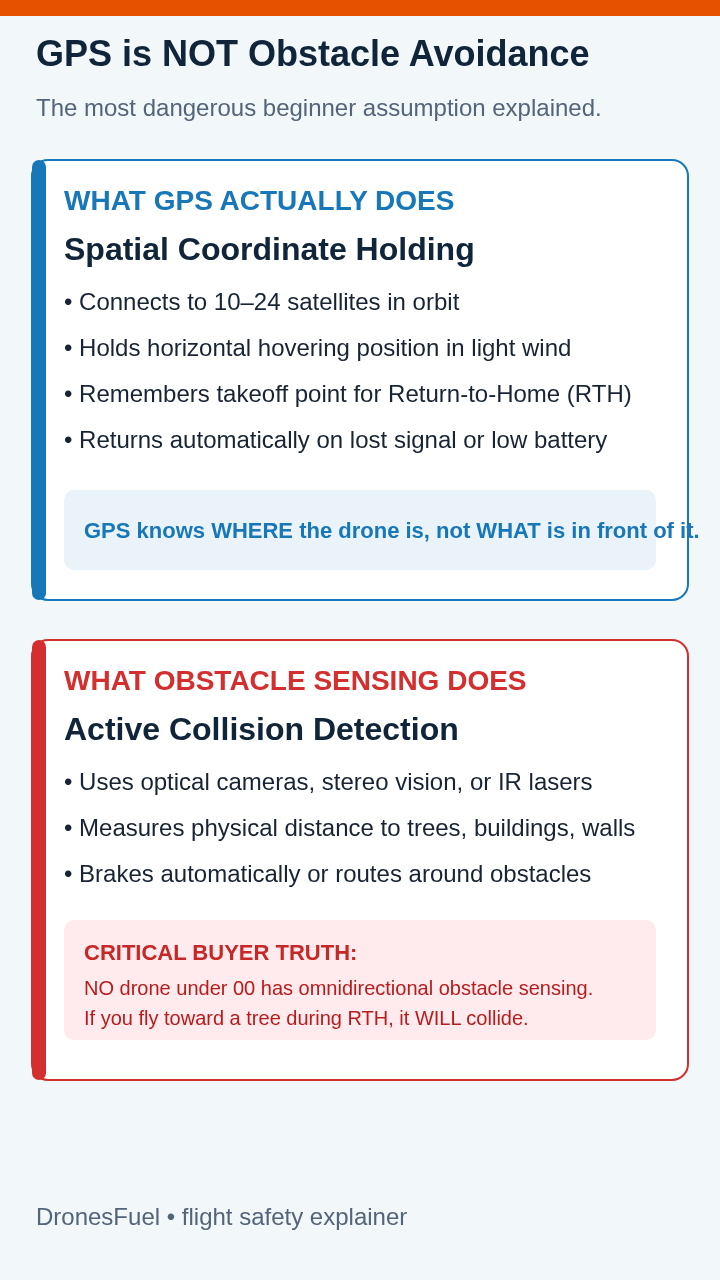
4. GPS Is Not Obstacle Avoidance: Satellite navigation (GNSS/GPS) is standard on all five finalists. If you let go of the sticks, the drone locks onto satellites and hovers in place. If the signal drops, it returns home. But GPS only knows coordinates—it cannot see tree branches or walls. If you trigger Return-to-Home under a tree canopy, the drone will fly straight into the limbs. Active obstacle avoidance requires multi-directional vision sensors that do not exist at this price point.
1. DJI Neo: The Palm-Launch Social Video King
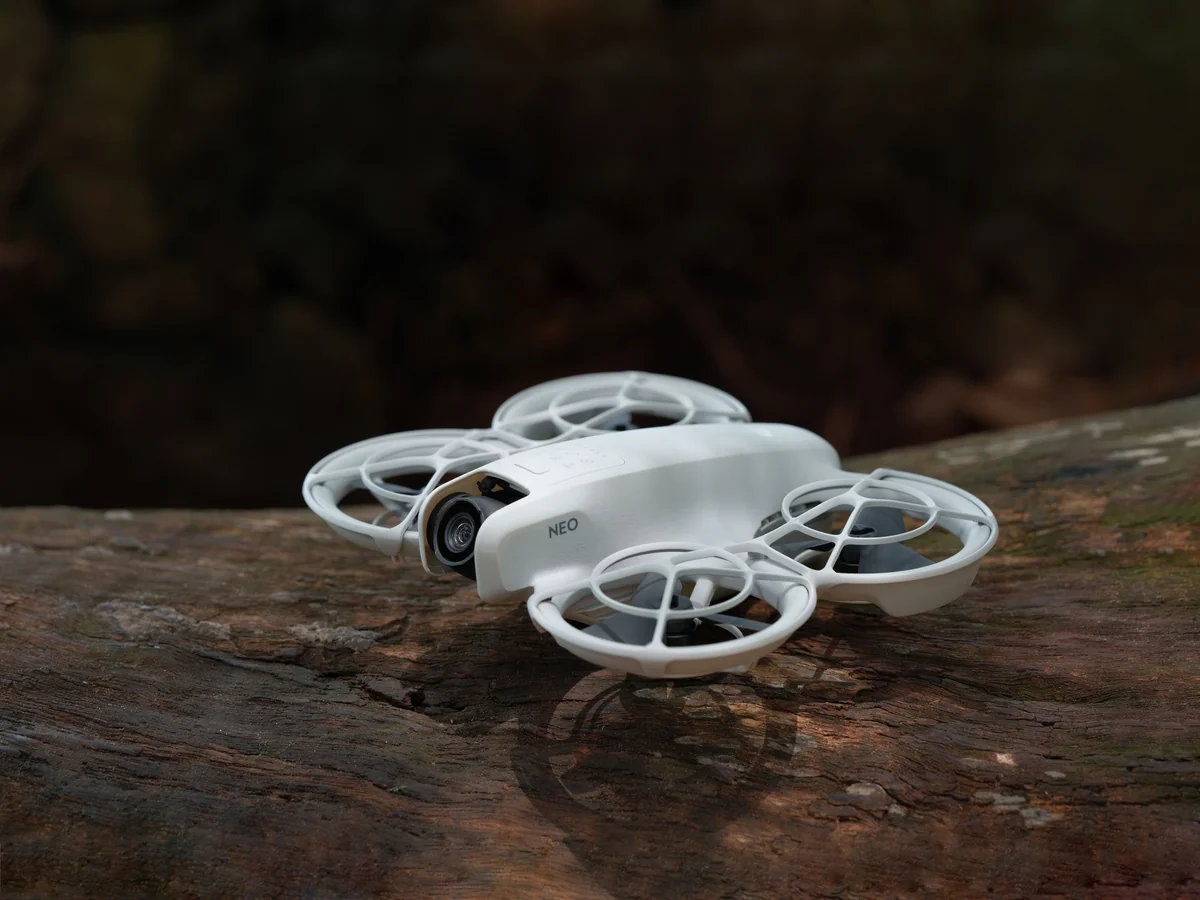
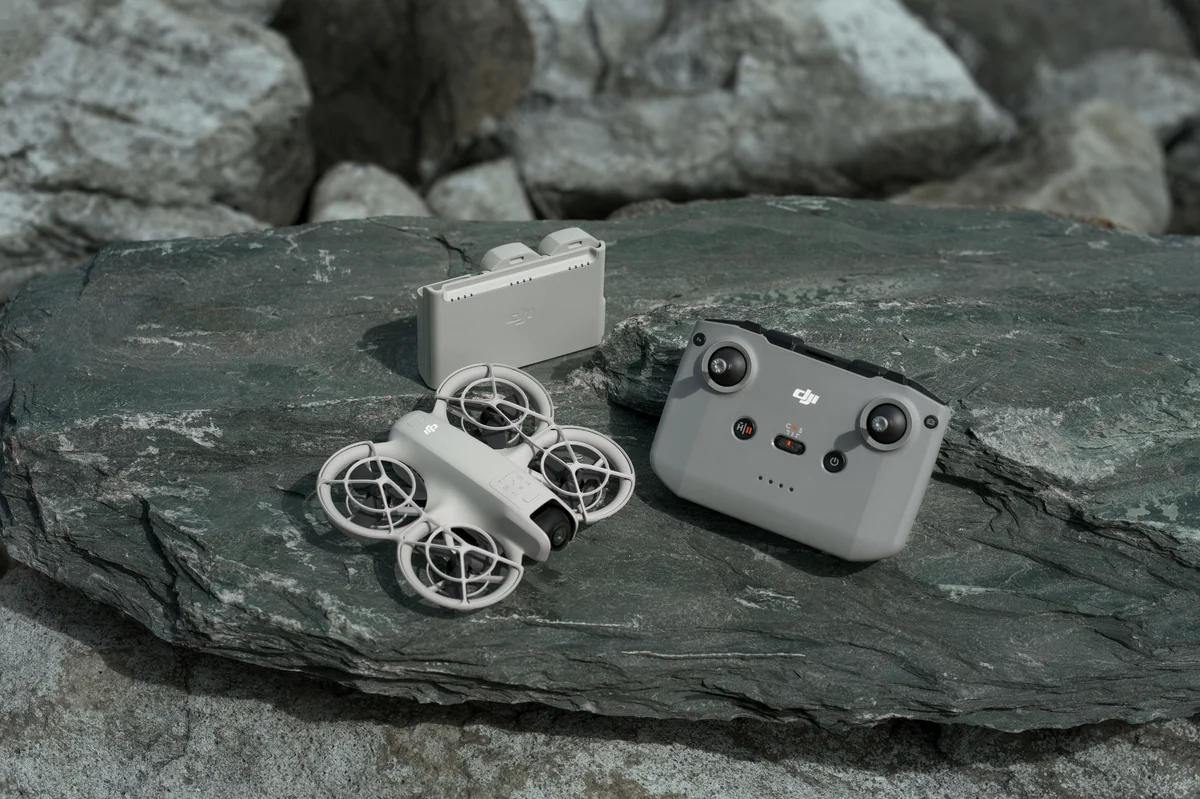
The DJI Neo does not feel like flying an RC quadcopter. It feels like hiring a tiny flying cameraman whose sole mission is to follow you around, record a gorgeous 15-second social video, and land quietly right back on your hand. At 135 grams, it weighs less than an iPhone 15 Pro, slips into a jacket pocket, and features full-coverage propeller cages that make it friendly around people.
DJI solved the budget video problem with pure engineering cleverness. A three-axis mechanical gimbal is a very different engineering proposition from Neo’s miniature palm-launch design. So DJI mounted the camera on a single-axis mechanical tilt motor and backed it with RockSteady EIS. The result is crisp, colorful 4K/30fps video that looks shockingly smooth, even when the drone is chasing you on a bicycle.

The flying workflow embarrasses traditional drones. Normal drones require unzipping backpacks, unfolding arms, clamping phones into transmitters, connecting cables, and waiting for satellite locks. With the Neo, you step onto a scenic trail, press the mode button on the drone to choose a QuickShot—Dronie, Circle, Rocket, Spotlight, or Direction Track—look at the camera, and lift your palm. It takes off, shoots an automated cinematic clip, and hovers back onto your hand. No phone, no remote, zero friction.
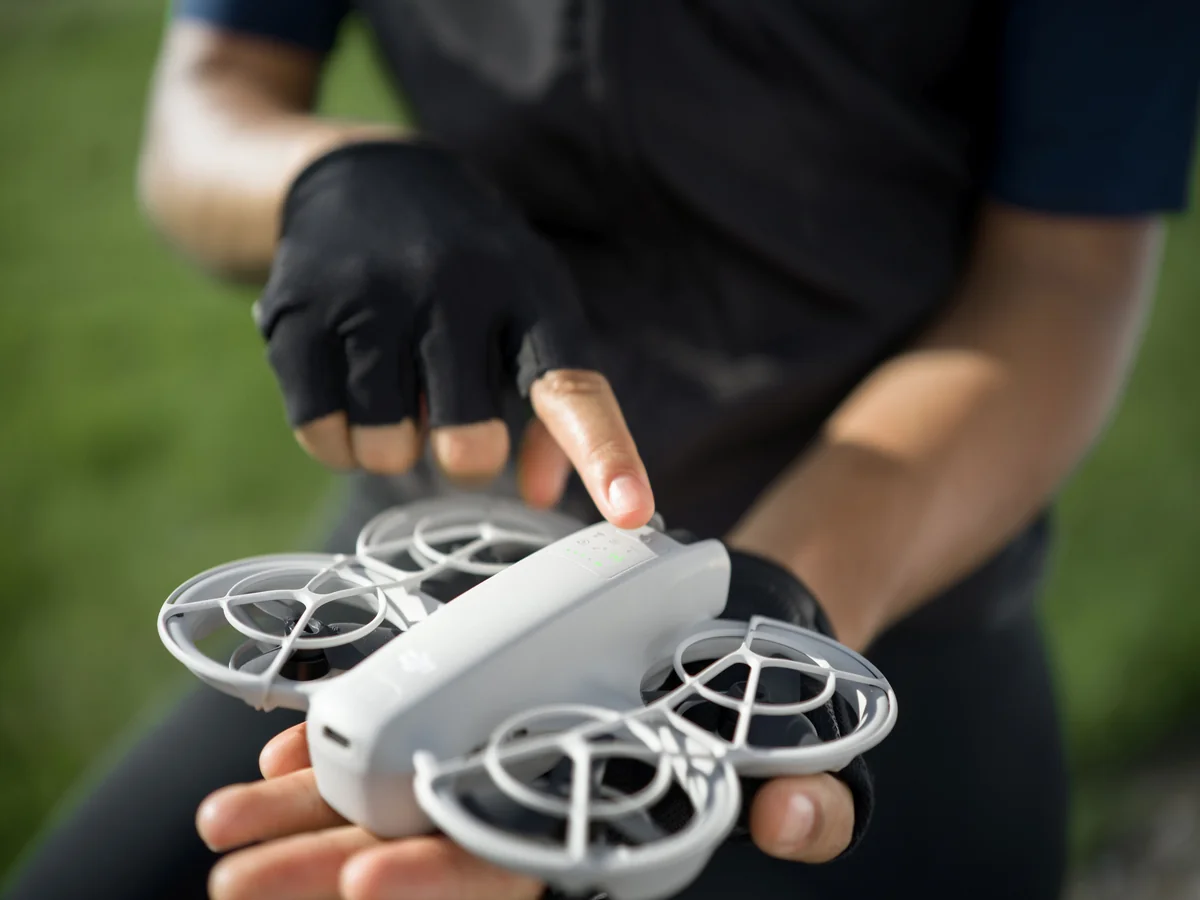
There is also a massive hidden savings: internal storage. Many budget camera drones rely on a separate compatible microSD card. The Neo comes with 22 gigabytes of high-speed onboard flash storage built in, holding over 40 minutes of 4K/30fps video. Clips transfer wirelessly to your phone over Wi-Fi 6 or via USB-C to a laptop in seconds.

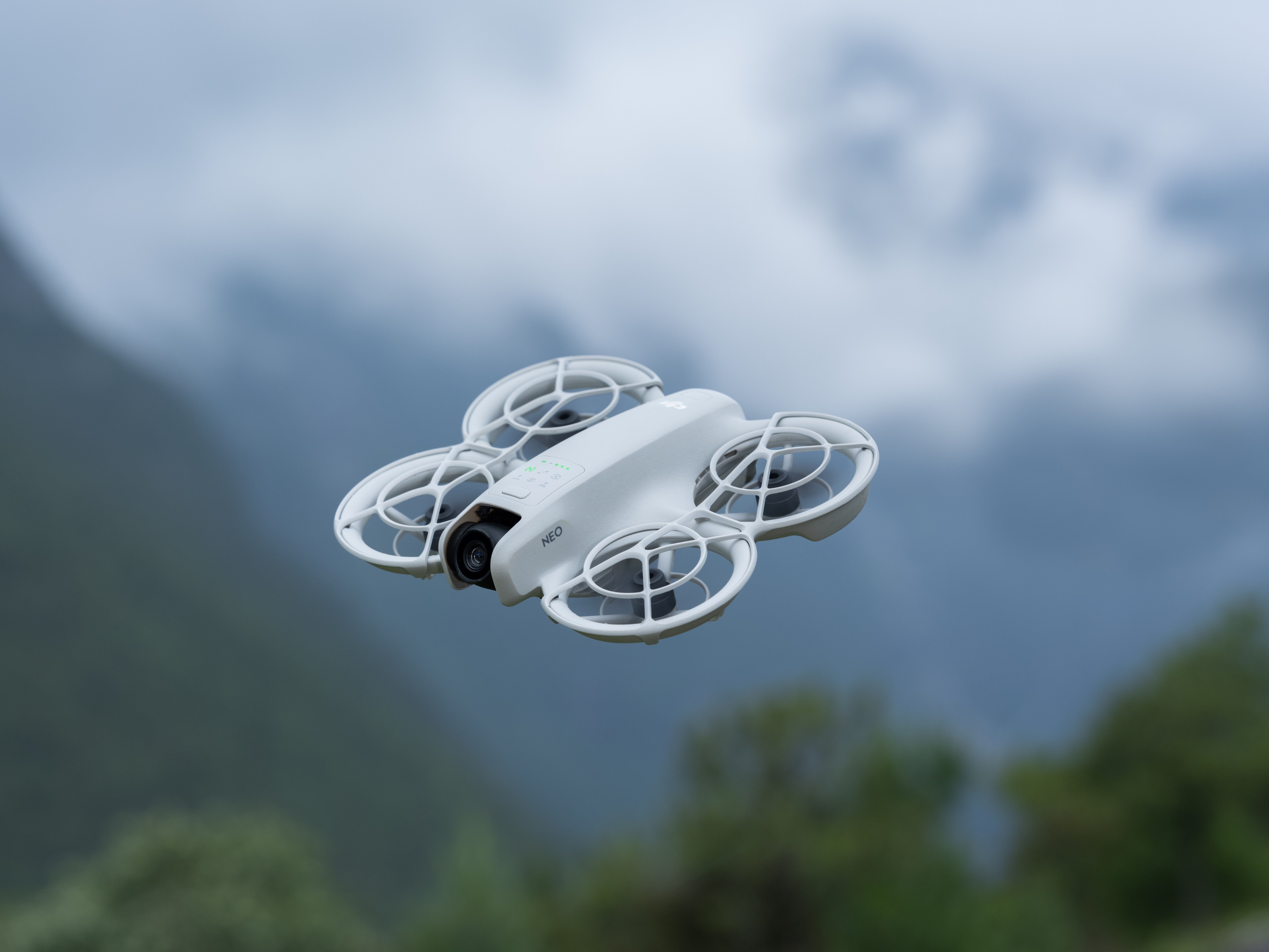
The trade-offs are real: its rated maximum flight time is 18 minutes (wind and active filming can shorten that), and Level 4 wind resistance means you shouldn’t fly in gusty coastal gales. But for social clips, family vacations, and outdoor memories, it is one of the most entertaining choices in this budget.
For deep head-to-head comparisons against premium DJI models, explore our DJI Mini 4 Pro vs DJI Neo comparison (sensor size, 3-axis gimbal, and true vertical shooting) and our DJI Flip vs DJI Neo comparison (folding design and forward sensing).
The DronesFuel Verdict: If you want fun, shareable, stable 4K video of your life with zero setup hassle, the DJI Neo is the undisputed champion.
Looking for the DJI Neo?
Palm-launch 4K flyer with 22GB internal storage.
DJI Neo
2. Potensic ATOM LT: The Traditional Stick Flyer with Serious Airtime
Potensic made what might be the smartest engineering decision in the budget drone industry with the ATOM LT. While rivals were slapping fake 4K badges onto vibrating cameras, Potensic built a drone for people who actually want to learn to fly. The ATOM LT skips 4K video, delivering clean, stabilized 2.5K video at 30fps with EIS and motorized tilt (-90° to +20°). Where did the budget go? It went into the airframe, the remote, and the battery. The result is a sub-249g folding drone with a manufacturer-rated flight ceiling of up to 40 minutes!
That 40-minute rating is a laboratory benchmark (constant 5 m/s forward cruise in zero wind). In real outdoor flying with hovering, ascents, and breezes, expect an honest 28 to 32 minutes of genuine sky time. In a price class where most quadcopters beep their low-battery warning after 12 minutes, staying airborne for over half an hour on one pack feels miraculous.
The flying ergonomics are top-notch. You get a dedicated physical remote with spring-tensioned sticks and an expandable smartphone clamp. Potensic’s PixSync 3.0 digital transmission link is rated up to 4 kilometers. In real suburban environments, that provides a rock-solid, lag-free 1 to 2 km line-of-sight visual connection—plenty of airspace to practice orbits and high-altitude landscape reveals.
The compromises? You get 2.5K rather than 4K video, there is no palm takeoff, and no obstacle sensors. But as a pure piloting trainer that maximizes airtime, it has no equal under $200.
The DronesFuel Verdict: If you want to learn dual-stick piloting, explore big parks, and stay airborne instead of charging batteries, the ATOM LT is the best flight trainer under $200.
Looking for the Potensic ATOM LT?
Sub-249g GPS flyer with 40-min rated battery ceiling & 2.5K EIS.
Potensic ATOM LT
3. Holy Stone HS175G: The Smarter Video Buy with 1440p EIS
The Holy Stone HS175G is the ultimate proof that specifications on a box can be misleading. While Holy Stone advertises 4K still photos (3840×2160), the onboard memory card video records at 2560×1440 pixels at 30 frames per second with Electronic Image Stabilization (EIS).
Novice buyers often assume 1440p is inferior to 4K. But on a drone, stabilized 1440p runs rings around unstabilized 4K. The HS175G’s EIS system smooths out high-frequency vibrations and wind tremors, keeping the horizon steady. Watch unstabilized budget footage on a big screen, and you will get a headache. Watch stabilized 1440p from the HS175G, and the footage is clean, sharp, and genuinely watchable.
Beyond the camera, the HS175G delivers a reliable beginner flight package. It weighs in right at the 249-gram boundary, exempting recreational flyers from FAA registration and Remote ID requirements. Dual GPS/GLONASS positioning locks the aircraft in place during breezes and triggers automatic Return-to-Home if signal drops or voltage gets low.
Rated for up to 30 minutes per battery, real outdoor flights deliver 20 to 22 minutes of active cruising. Retail bundles typically include two batteries and a sturdy case, giving you 40+ minutes of flying right out of the box. The phone app is basic and 5GHz Wi-Fi video latency creeps up past 400 meters, but within normal visual range, it is remarkably dependable.
The DronesFuel Verdict: Don’t let the 1440p video spec fool you. The HS175G’s electronic stabilization makes it the most watchable camera flyer in Holy Stone’s budget lineup.
Looking for the Holy Stone HS175G?
GPS camera drone with 1440p EIS stabilized video & 249g airframe.
Holy Stone HS175G
4. Holy Stone HS175D Plus: The Feature Buffet GPS Cruiser
If you love opening a gadget box and discovering an absolute buffet of autonomous modes and flight settings, the Holy Stone HS175D Plus is built for you. The Plus model upgrades the classic HS175D with larger batteries, a revised camera, and every smart flight mode in Holy Stone’s catalog, all packed into a 247-gram folding frame.
You get dual GPS navigation paired with a downward optical flow sensor. Outdoors, satellites hold position; indoors or beneath thick trees, the optical camera tracks floor patterns to stop drift. The app unlocks custom waypoint routing, follow-me tracking via your phone’s GPS, and 360-degree point-of-interest orbits.
Now for the camera reality check: Holy Stone advertises 4K, and the TF card slot does record 3840×2160 video—but at 20 frames per second (or approx. 2.7K at 30fps). Standard video runs at 30fps; at 20fps, fast pans show noticeable motion judder. The camera has motorized 90° tilt, but lacks mechanical gimbals or EIS. For slow landscape reveals and sharp aerial photos in calm air, it looks great. For fast action in breezes, it will shudder.
With high-capacity modular batteries rated for up to 30 minutes and a 247g takeoff weight that avoids FAA registration, the HS175D Plus delivers massive feature variety under $200.
The DronesFuel Verdict: The feature-buffet choice. If you want autonomous waypoints, follow-me, and aerial photography on a strict budget, the HS175D Plus delivers plenty of tech.
Looking for the Holy Stone HS175D Plus?
Feature-rich GPS drone with waypoints, follow-me & 30-min battery.
Holy Stone HS175D Plus
5. Holy Stone HS360S: The Big-Field Line-of-Sight Explorer
Some pilots don’t care about palm selfies. They want to stand at the edge of an empty 50-acre soccer complex, push both sticks forward, and watch a sleek quadcopter rocket toward the horizon. For that pilot, the Holy Stone HS360S is the top pick under $200.
The HS360S stands out with its control and transmission setup. Most budget drones send live video over Wi-Fi directly to your phone, which stutters when crowded with home routers. Holy Stone solved this by connecting your phone to the remote via an included physical OTG cable, driving an upgraded digital radio link.
The cable connection enables a rated 3-kilometer transmission range. Always fly within visual line of sight as required by law, but having a 3km radio means that at 300 meters across a park, your live video feed is rock solid without digital tearing. The 249-gram folding airframe features punchy brushless motors, 90° camera tilt, 4K stills, and 2.7K/30fps card video.
The trade-offs: the camera has motorized tilt only without EIS, so you need to hover or fly smooth straight lines to get steady clips. Flight time is rated at 20 minutes per battery. But for responsive long-range open-field cruising, it is tough to beat.
The DronesFuel Verdict: If you want fast stick flying across open fields with a dependable wired controller link, the HS360S is your flyer.
Looking for the Holy Stone HS360S?
Long-range GPS drone with wired controller link & 249g folding design.
Holy Stone HS360S
Three Budget Alternatives Worth Knowing
Beyond our five main finalists, three other models frequently show up in sales and community discussions:
- Holy Stone HS175D (Classic): The predecessor to the Plus remains a best-seller. Weighing 215g with 23 min flight time and 2.7K video, it lacks the Plus model’s battery capacity. It is worth considering as a simpler alternative when the price is attractive. If your budget is strictly capped below $150, it is a proven entry point.
- Holy Stone HS440G: Ultra-compact folding design at 227 grams with basic GPS and 1080p/1440p camera. It lacks EIS and long-range radio, but for easy, inexpensive backyard practice, it is durable and approachable.
- Potensic ATOM SE (Deal Watch): The ATOM SE normally sells slightly above $200. But whenever seasonal discounts bring it under $200, it becomes an unbelievable buy. Featuring true 4K video, ShakeVanish EIS, sub-249g weight, and 31 minutes flight time, keep an eye on its price!
Looking for the Potensic ATOM SE?
Watch for seasonal deals bringing true 4K EIS under $200.
Potensic ATOM SE
The Camera Showdown: Real Footage vs Spec-Sheet Badges
Let us compare how our finalists actually perform when you review footage on a computer monitor:
1. Detail and Color Science: For quick social video, Neo has a credible advantage in its stabilized capture workflow: 4K/30 recording, its one-axis camera support and DJI’s electronic correction work together to tame motion. Actual color, highlights and fine detail still depend on the scene and exposure, so prioritize the moving-camera result over the sticker on the box.
2. Frame Rates (30fps vs 20fps): Frame rate dictates visual fluidity. The original DJI Neo records up to 4K/30, Potensic ATOM LT uses 2.5K/30, and Holy Stone HS175G saves 1440p/30 to its memory card. HS175D Plus lists a 4K/20 option as well as a lower-resolution 30fps mode. Frame rate is part of why camera movement can look different even when the packaging shouts the same K-number.
Video Bitrate & Compression Artifacts: Resolution is only half the equation—bitrate is the other half. Bitrate measures how much video data is written to the card every second (measured in megabits per second, or Mbps). Cheaper 4K drones often compress video down to 25 or 30 Mbps to save processing power. When flying over complex textures like grass fields, forest trees, or rippling ocean water, low-bitrate video turns into pixelated soup. The DJI Neo records at up to 75 Mbps, preserving individual leaves, grass blades, and sharp building edges.
3. MicroSD Speeds vs Phone Storage: Never record video over Wi-Fi directly to your phone app! Wi-Fi transmission compresses and drops frames. Always install a microSD card that meets the model’s manufacturer-stated speed class directly into the drone (ATOM LT and Holy Stone models) for full-quality recording. The DJI Neo skips cards entirely with its 22GB onboard flash drive.
| Model | Video Resolution | Video FPS | Photo Still Res | Stabilization System | Storage Method |
|---|---|---|---|---|---|
| DJI Neo | 3840 x 2160 (4K) | 30 fps | 12 MP (4000×3000) | 1-Axis Tilt + RockSteady EIS | 22GB Onboard Flash (No card needed) |
| Potensic ATOM LT | 2560 x 1440 (2.5K) | 30 fps | 8 MP (3840×2160) | Electronic EIS + 1-Axis Tilt | MicroSD Slot (Up to 128GB) |
| Holy Stone HS175G | 2560 x 1440 (1440p) | 30 fps | 4K Stills (3840×2160) | Electronic EIS Algorithm | MicroSD Slot (Up to 128GB) |
| Holy Stone HS175D Plus | 3840 x 2160 (4K) | 20 fps (~2.7K@30) | 4K Stills (3840×2160) | 90° Motorized Tilt Only | TF / MicroSD Slot (Up to 128GB) |
| Holy Stone HS360S | 2560 x 1440 (2.7K) | 30 fps | 4K Stills (3840×2160) | 90° Motorized Tilt Only | TF / MicroSD Slot (Up to 128GB) |
Why Mechanical Gimbals & EIS Crush Raw Megapixels
To understand aerial stabilization, imagine riding a bike over bumpy bricks while holding a phone. A 4K sensor just gives you high-res vibrations. Put that phone in a powered stabilizer, and the video turns silky smooth. The camera didn’t gain pixels; it was decoupled from the frame.
Drones are aerodynamically active. In a crosswind, the drone banks 15° to hold position. Push forward, and the nose dips down. The DJI Neo’s single-axis mechanical tilt + EIS counters this brilliantly. The mechanical motor isolates the pitch axis, keeping the camera locked forward while the drone accelerates. Meanwhile, RockSteady EIS algorithms smooth out yaw and roll tremors. You get 90% of the smoothness of a high-end camera drone without paying for a heavy three-axis gimbal.
On models with Electronic EIS only (ATOM LT and HS175G), the sensor crops margins to smooth out small motor jitters. Footage stays calm in straight lines. When the drone banks sharply, the horizon tilts with the turn. For scenic flights, that natural banking angle is completely acceptable and far cleaner than raw unstabilized video.
Choose by the Weekend You Actually Have
Ask yourself: What does your ideal Saturday flight look like? Here is how our finalists map to real buyer routines:
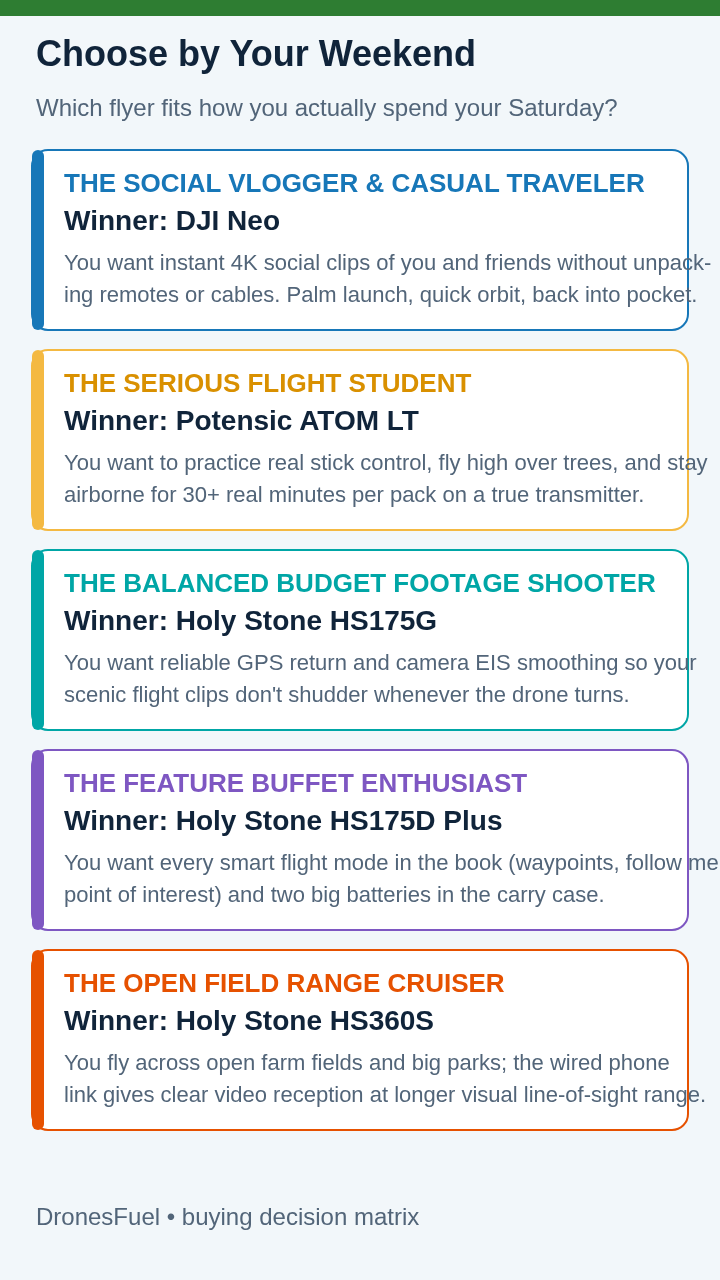
- The Backyard BBQ & Family Vacation Vlogger: You want fast, spontaneous video of friends and family without unpacking cases or cables. Your Winner: DJI Neo. Launch from your palm, capture 4K QuickShots, and catch it in your hand.
- The Serious Flight Hobbyist & Student: You want to sit in a lawn chair with a physical remote, practice figures-of-eight, and stay airborne for half an hour per pack. Your Winner: Potensic ATOM LT. 40-minute rated ceiling and spring sticks make it the ultimate flight trainer.
- The Balanced Scenic Landscape Shooter: You want reliable GPS return, spare batteries, and video that stays calm without breaking the bank. Your Winner: Holy Stone HS175G. Stabilized 1440p/30fps EIS video delivers smooth clips.
- The Autopilot & Mode Explorer: You love setting up waypoints on satellite maps, follow-me tracking, and orbit modes. Your Winner: Holy Stone HS175D Plus. Feature-rich autonomous modes on a budget.
- The Open-Field Range Cruiser: You fly in wide open farm fields and hate Wi-Fi video dropouts. Your Winner: Holy Stone HS360S. The wired smartphone link and 3km radio keep live video clean.
Five Costly Beginner Mistakes & Gear Essentials
Avoid these five common beginner traps to keep your drone in the air:
Mistake 1: Chasing 4K Without Stabilization: 4K without stabilization is worse than 1080p with stabilization. Prioritize EIS, mechanical tilt, and 30fps video over raw pixel counts.
Mistake 2: Testing Max Range on Day One: Keep your first ten flights within 100 meters in open fields. Master manual return controls before exploring long-range flight.
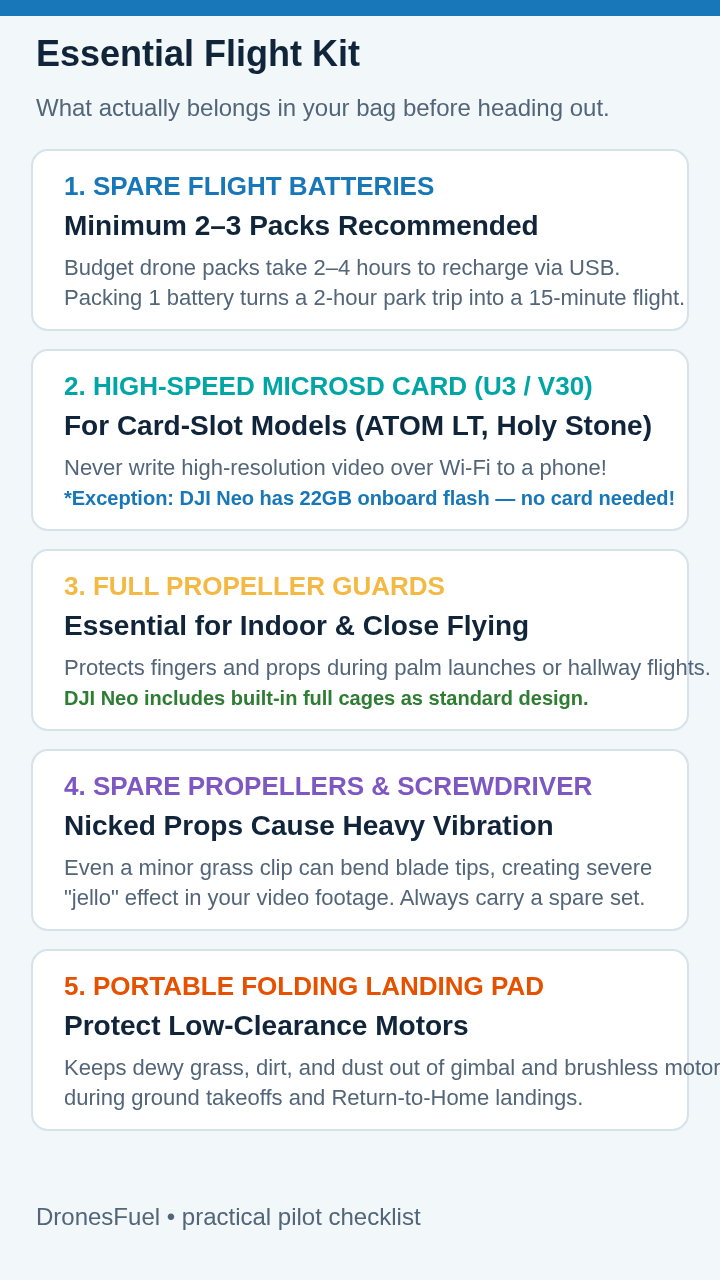
Mistake 3: Buying a Single-Battery Bundle: Packs take 2 to 4 hours to recharge over USB. A single battery cuts your afternoon short after 15 minutes. Always buy bundles with two or three batteries.
Mistake 4: Believing GPS Prevents Crashes: GPS holds position and enables return-to-home. It does not see tree limbs or power lines. Set your RTH altitude to 30–40 meters in the app before taking off.
Mistake 5: Buying a $50 Toy First: Cheap toy drones lack GPS, drift uncontrollably, and crash in seconds. Modern GPS drones like the ATOM LT and Neo hover motionless the moment you release the sticks, making them far easier to fly!
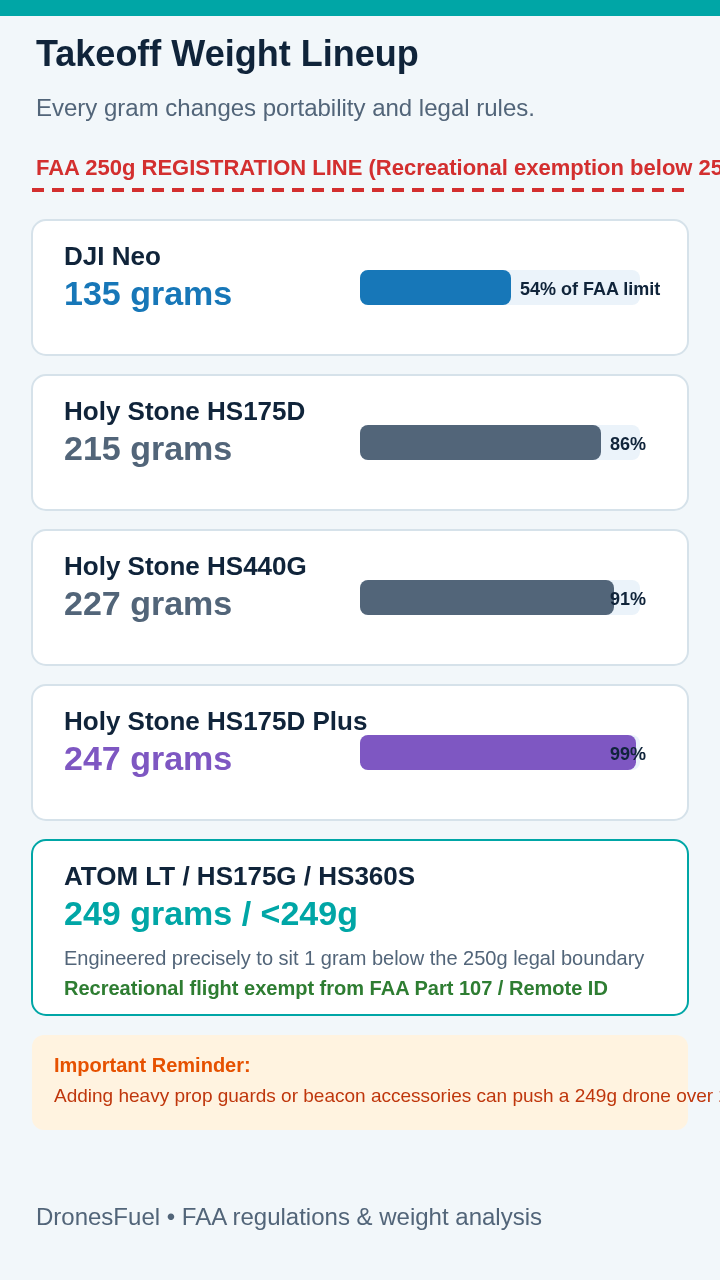
FAA Regulations & Weight Limits: In the US, recreational flyers operating drones under 250 grams are exempt from FAA registration and Remote ID broadcast modules. All five finalists qualify for this sub-250g exemption. Recreational pilots must still take the free online FAA TRUST test, stay below 400 feet, keep visual line of sight, and avoid restricted airport airspace. For commercial Part 107 operations, read our complete guide to FAA regulations.
Essential Gear Kit: Pack spare propellers and screwdriver (nicked blades cause video jello), microSD cards meeting each camera’s stated speed class (Neo skips this), a portable landing pad to protect motor pods from dewy grass, and a USB-C power bank for field charging.
When Spending More is Actually Cheaper: The Gimbal Threshold
Here is frank consumer advice: sometimes spending an extra $70 to $100 today saves you hundreds tomorrow.
If your goal is cinematic, horizon-flat YouTube b-roll or commercial landscape video, sub-$200 drones will eventually leave you wanting more. Single-axis tilt and EIS perform wonders, but when banking hard in wind, the horizon tilts.
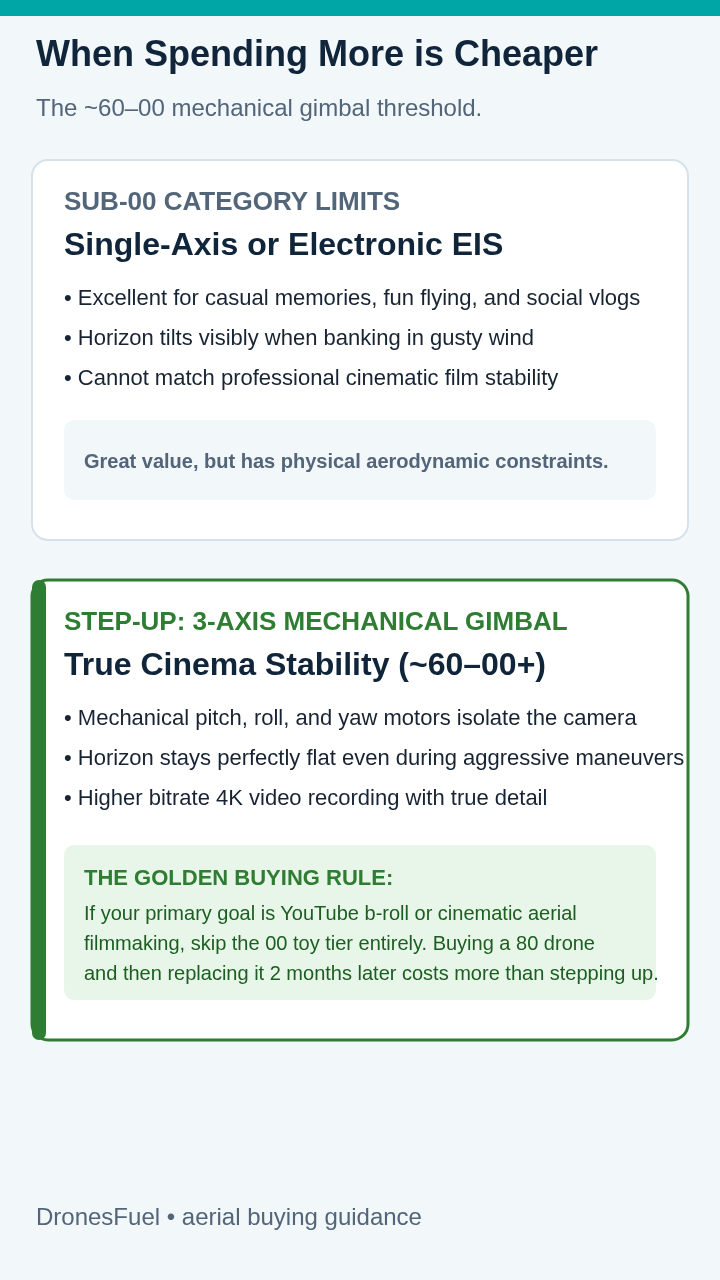
At approximately $260 to $300, you enter true 3-axis mechanical gimbal territory with aircraft like the standard Potensic ATOM (not the LT) or DJI Mini series. Three brushless motors actively level pitch, roll, and yaw, keeping the camera rock-steady even in 15 mph winds.
Buying a drone that doesn’t meet your actual filming needs can make the eventual upgrade more expensive than choosing the right camera system first. If cinematic b-roll is your goal, save up and step straight to a 3-axis gimbal. But for fun, social vlogging, and flight training, our sub-$200 picks deliver pure enjoyment.
Looking for the Potensic ATOM (3-Axis Gimbal)?
Step up to true 3-axis mechanical stabilization around ~$260–$300.
Potensic ATOM (3-Axis Gimbal)
Frequently Asked Questions
Q1: Do I need to register any of these sub-$200 drones with the FAA?
For recreational flying in the U.S., drones below 250 g generally don’t require FAA registration in their lightweight configuration. You still need to complete TRUST and follow the relevant airspace and operating rules. Part 107 flights have different registration requirements.
Q2: Why does my budget drone video look shaky if the box claims 4K?
Because the camera lacks stabilization. “4K” only describes pixel count (3840×2160), not stability. In wind, an unstabilized drone tilts constantly. Smooth video requires Electronic Image Stabilization (EIS) like the ATOM LT and HS175G, or hybrid mechanical tilt plus EIS like the DJI Neo.
Q3: How much wind can a sub-250g budget drone handle?
Wind performance varies significantly by model and flying mode. Light drones can be blown off course by gusts, and their small motors cannot guarantee steady-looking video. Start on a calm day, check the drone’s own wind rating, and give yourself plenty of landing time.
Q4: Do I need to buy a microSD card for the DJI Neo?
No! The original DJI Neo has 22GB of built-in storage, so you can record footage without buying a memory card. Transfer clips wirelessly to your phone or via USB-C to a computer. Potensic and Holy Stone models do require a compatible microSD card.
Q5: Can I fly these drones indoors safely?
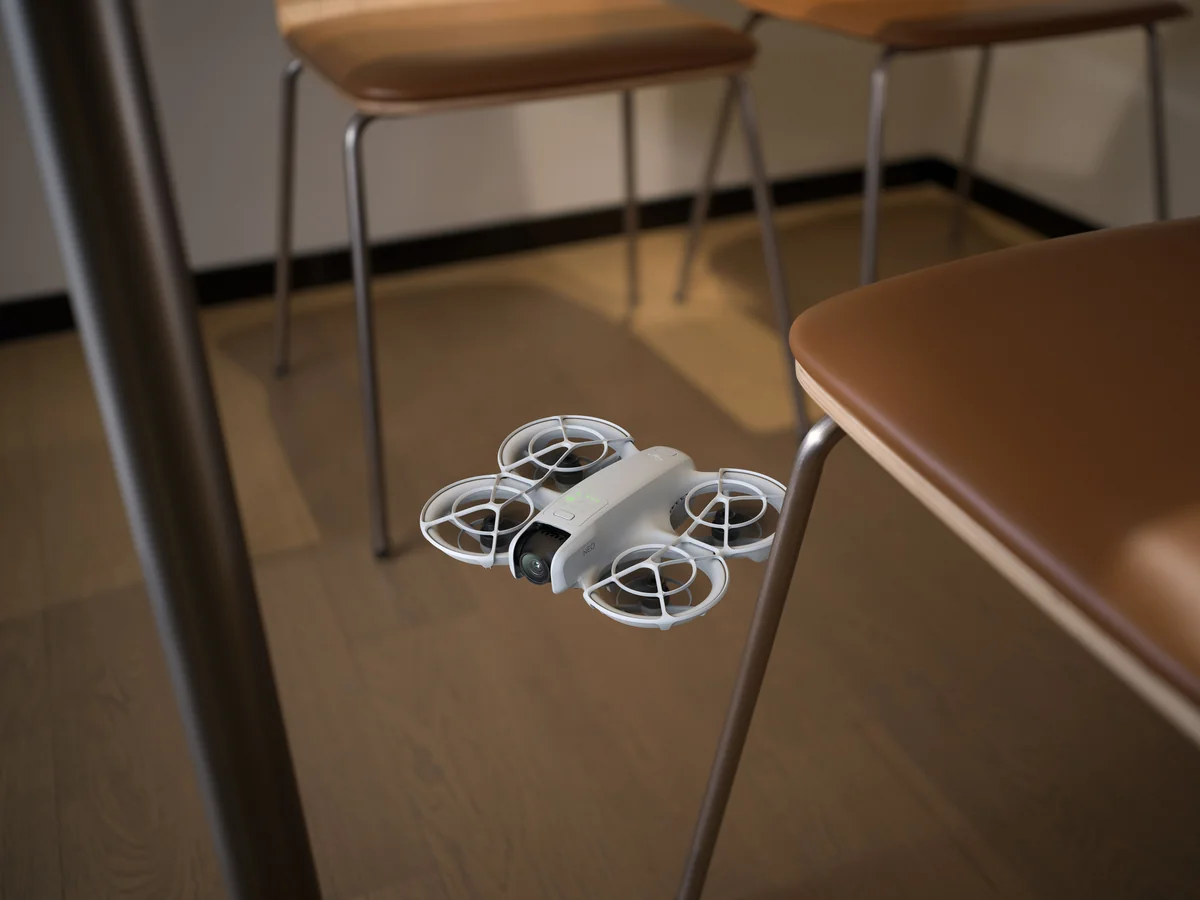
Neo’s light body and full propeller guards make controlled indoor practice more approachable, but indoors still means tight spaces, people and furniture. Use a clear, safe area and learn its protective limits. Open-prop drones are much better reserved for wide open outdoor areas.
Q6: Is smartphone Wi-Fi app control good enough, or do I need a physical remote?
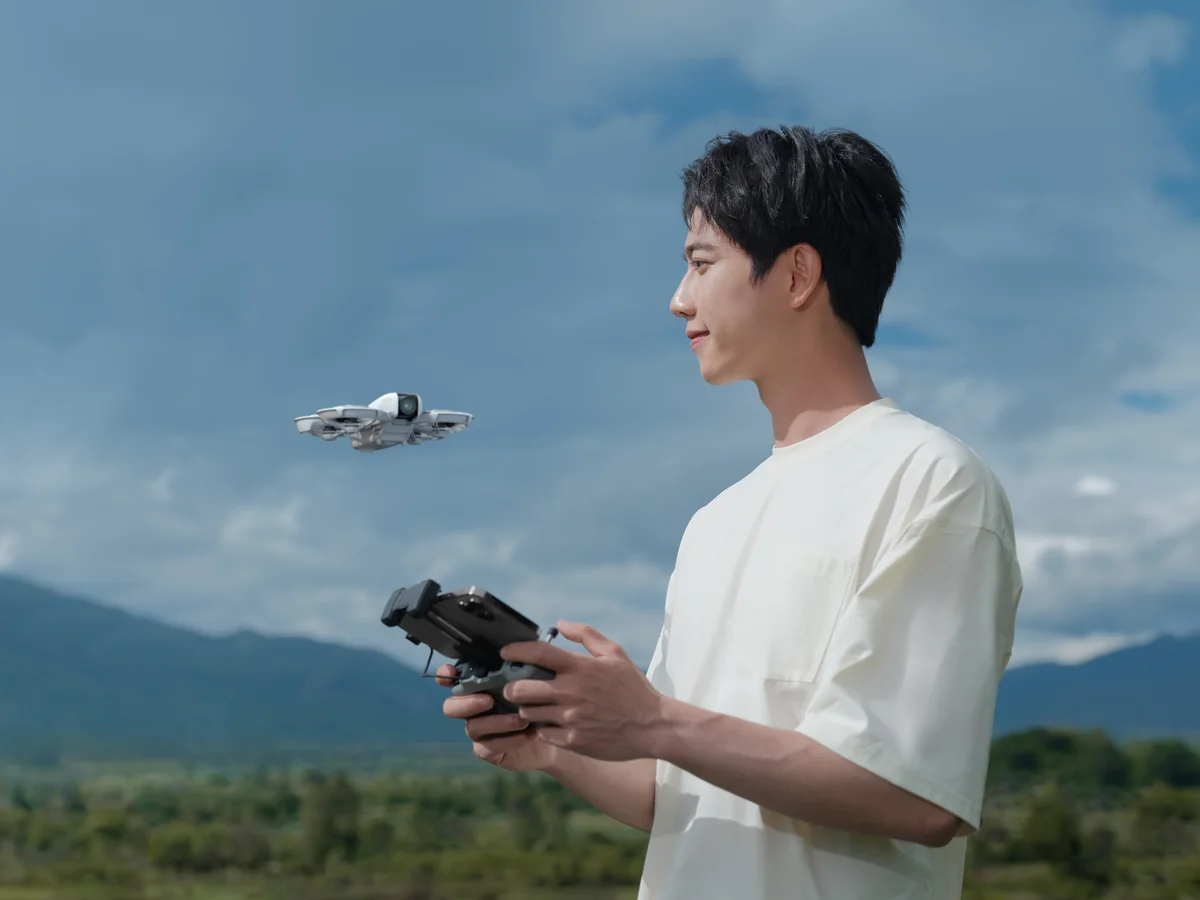
For quick selfies and automated clips, phone or palm controls can be brilliantly convenient. When you want to practice manual flying and make smooth, deliberate moves, a compatible physical controller gives you finer input than a touchscreen.
Q7: What happens if my drone loses signal far away?
Return-to-home behavior depends on the model and how you are controlling it. On GPS-equipped controller drones, verify that the home point is recorded and set the return altitude appropriately before takeoff. DJI Neo also has different behavior for palm and controller flight, so learn the relevant mode before relying on an automatic return.
The Final Verdict: Three Confident Recommendations
Buying a camera drone under $200 in 2026 is no longer about throwing money away on flimsy toys. The category has matured into stable, GPS-guided aircraft—if you match the model to how you fly.
Here are our three confident recommendations:
- Buy the DJI Neo if you want the easiest, most shareable camera drone on the planet. Palm-launch automation, full prop cages, true 4K/30fps stabilized video, and 22GB internal storage make it the ultimate spontaneous social flyer.
- Buy the Potensic ATOM LT if you want to learn traditional stick piloting and maximize airtime. A 40-minute rated ceiling, ergonomic remote, 4km link, and clean 2.5K EIS video make it the best flight trainer under $200.
- Buy the Holy Stone HS175G if you want a complete GPS travel kit with calmer stabilized video. Its 1440p/30fps video includes EIS, giving casual flyers a useful tool against the jitters that plague unstabilized cameras.
A Final Word on Expectations: Flying drones is one of the most exhilarating technical hobbies on earth. Treat your first few weeks as an apprenticeship: fly slowly, respect the weather, keep your batteries maintained at room temperature, and focus on the joy of discovery. Whether you are catching sunset panoramas over your local park or capturing your kids racing bicycles across the lawn, these five aircraft prove that world-class aerial fun no longer requires a thousand-dollar investment.
Pick your flyer, charge your batteries, check the wind, and get out into the open sky. Happy flying!

